

AI for social media
DNAIII builds and runs software that makes the content, publishes it and reports on it: posts, ads and video.
Solutions
We use AI and automation to do the repeated work of social media, with people checking the result. We work in two areas.
01
Social media marketing
For a business with many locations. The software makes the posts, schedules them on Facebook, Instagram and Google Business, runs the ads and reports the results for each location.
See what it does →
02
AI video
A studio that takes a topic to a finished, narrated video: script, voiceover, visuals, edit and export. A person approves each step.
See the studio →
Office onboarding
A new office links its Facebook Page, its Instagram account and its Google Business profile. Then it is ready to post.
Social publishing
Every listing becomes a branded post and an Instagram story, scheduled for each office on Facebook, Instagram and Google Business.
Paid campaigns
Meta ads for the listings that deserve a push, with spend limits that the software enforces.
Network campaigns
Head office writes one campaign. Every office publishes it, with its own contact details.
Reporting
Reach, engagement, followers and contact actions, for one office or for the whole network.
Requests by WhatsApp
An office asks for a post in a WhatsApp message. A person approves it before it goes out.
What an office publishes
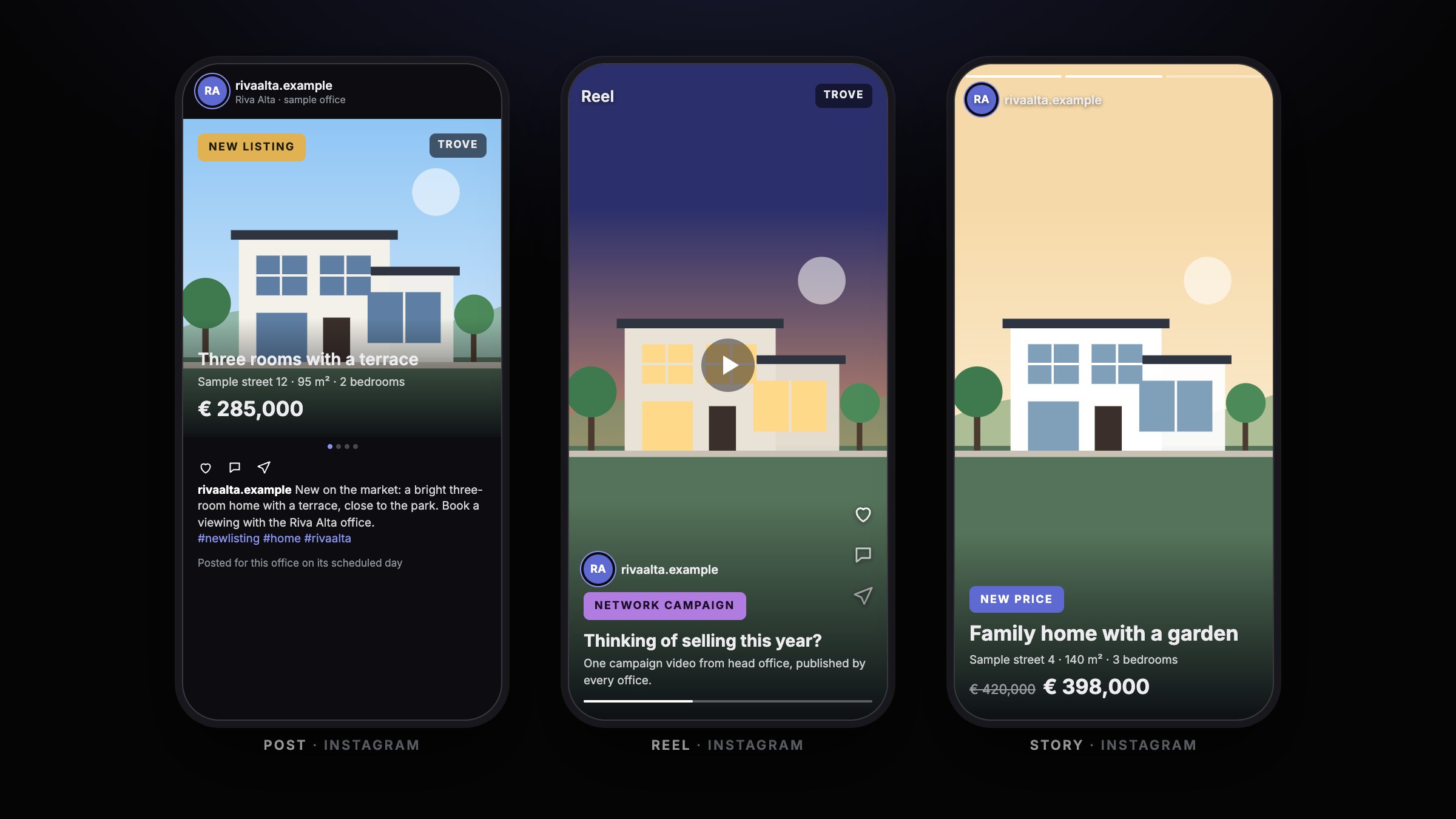
A listing becomes a post, a story and a Google Business update. These pictures are illustrations with a sample office and sample homes, not real posts.
Instagram: post, reel and story
- A new listing, a new price and a sale each have their own template.
- A network campaign video goes out as a reel from every office.
- A story is laid out for the tall format.
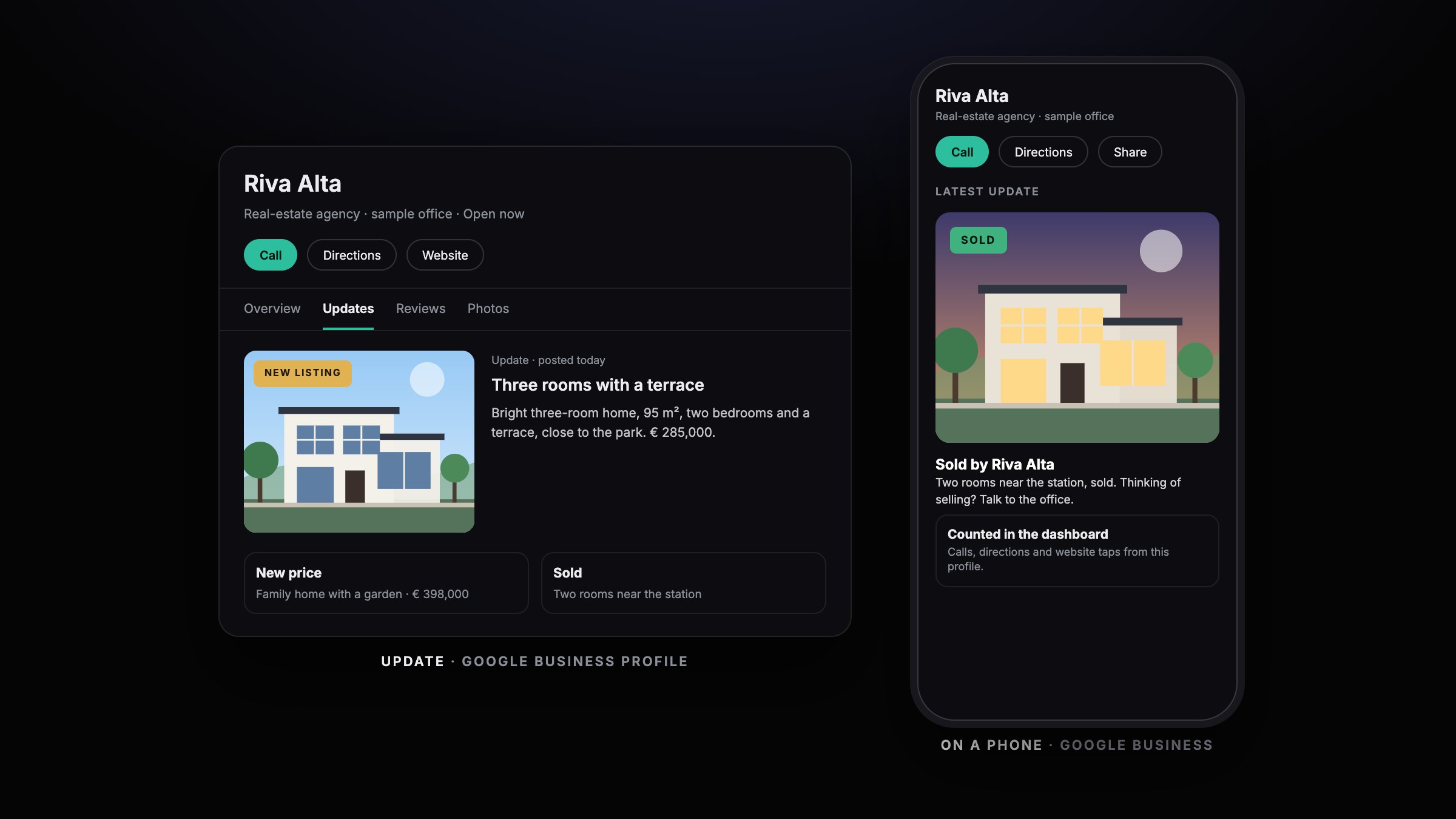
Google Business updates
- The same listing appears as an update on the office profile.
- An update shows the photo, the text and the price.
- Calls, directions and website taps come back to the dashboard.
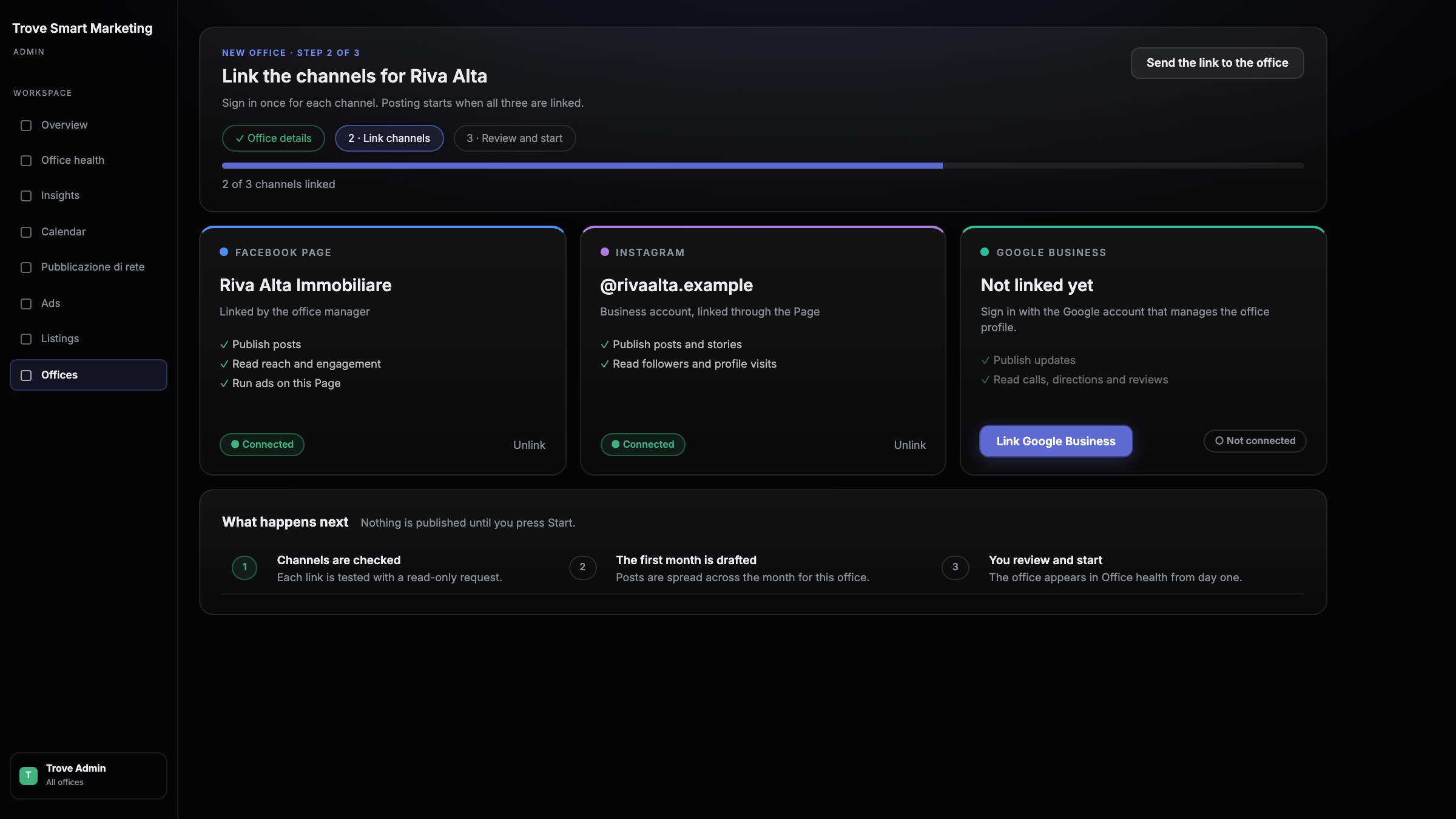
An office is onboarded quickly
An office signs in to three accounts: its Facebook Page, its Instagram account and its Google Business profile. These two pictures are illustrations of the flow, not screenshots.
Three links and the office is ready
- Link Facebook, Instagram and Google Business, one sign-in each.
- Head office can send the link, so the office manager does it alone.
- Nothing is published until someone presses Start.
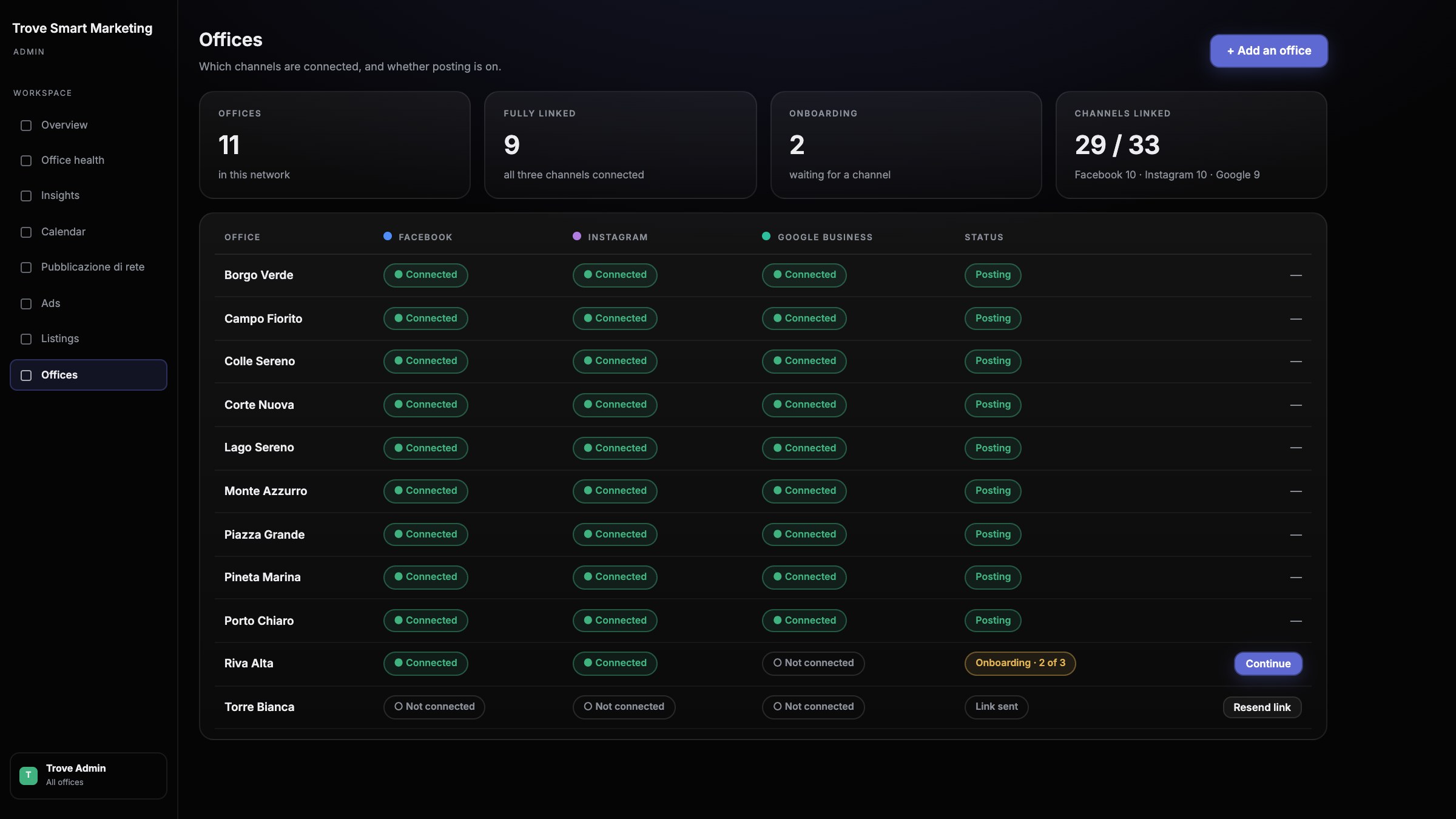
See who is linked and who is not
- One row for each office, one mark for each channel.
- An office that stopped half-way shows what is missing.
- Resend the link, or continue from where it stopped.
How it works
- 1
Listings come in
New, repriced and sold listings reach the platform as they change.
- 2
Posts are made
Each listing gets its cover images and captions in the network’s brand templates.
- 3
The month is scheduled
Posts are spread across the month for each office and each channel.
- 4
Results come back
The numbers from each channel return to one dashboard, office by office.
Customer
Trove runs its network marketing on DNAIII
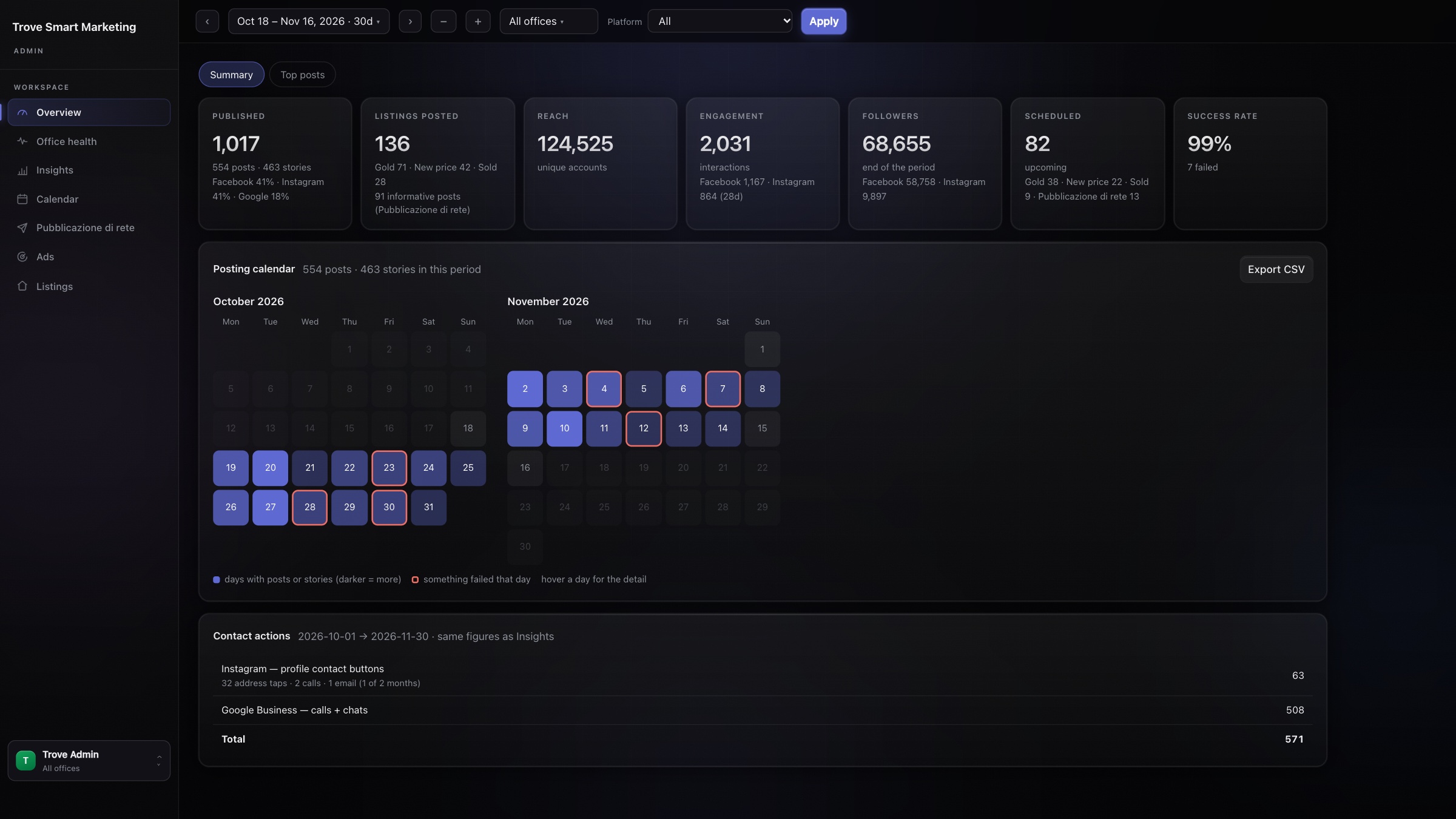
Trove is a real-estate network and a DNAIII customer. Its platform, Trove Smart Marketing, publishes for every office and shows head office what happened. These are screens from Trove’s dashboard, with sample office names and sample audience figures.
The whole network on one screen
- Posts, stories, reach, engagement and followers for any period.
- A calendar marks every day that posted, and every day where something failed.
- Filter by office or by channel: Facebook, Instagram or Google Business.
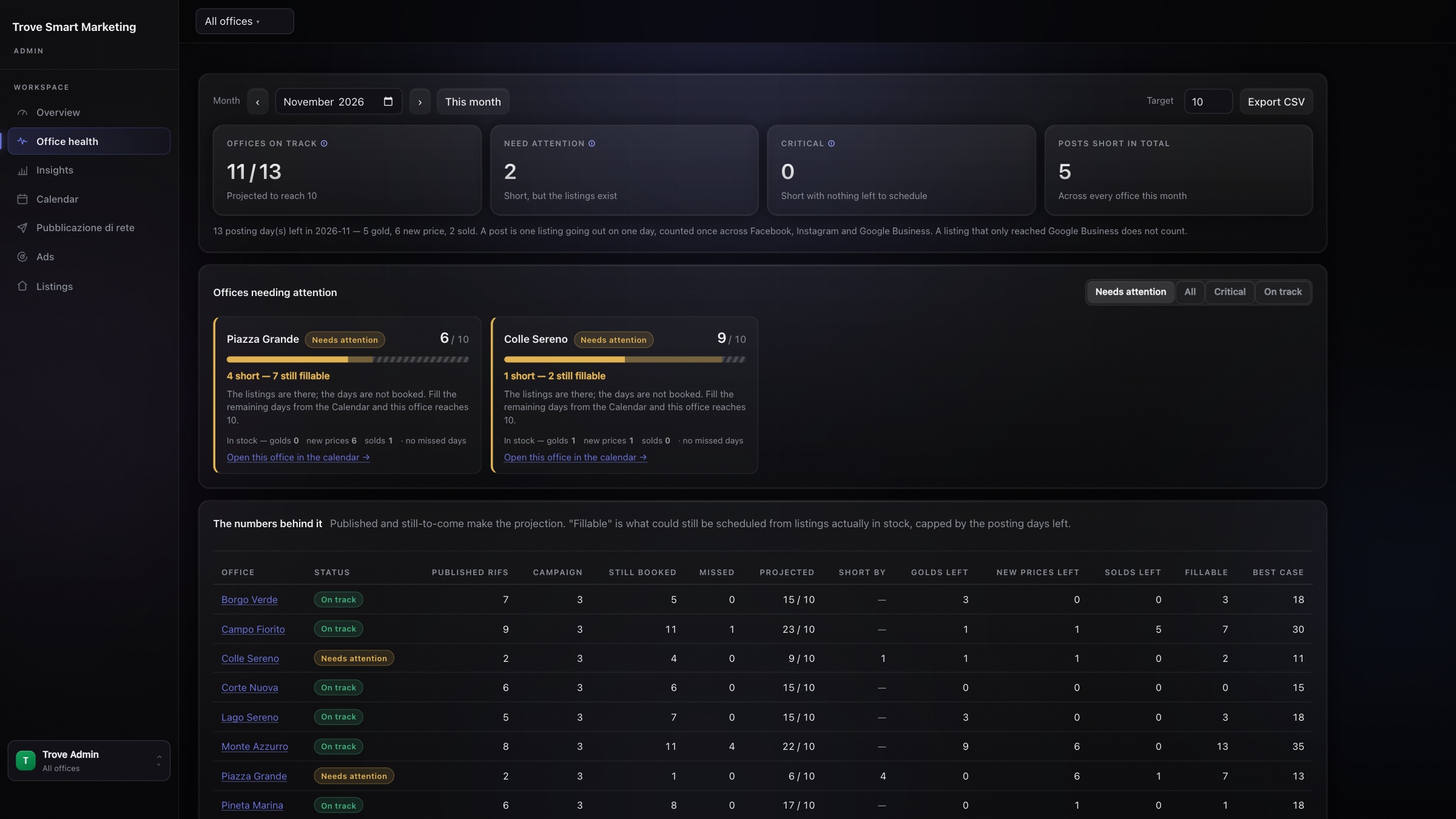
See which office will miss its month
- Each office has a monthly posting target.
- The forecast counts what is published, what is booked and what could still be scheduled.
- An office that is short gets a reason and a link to fix it.
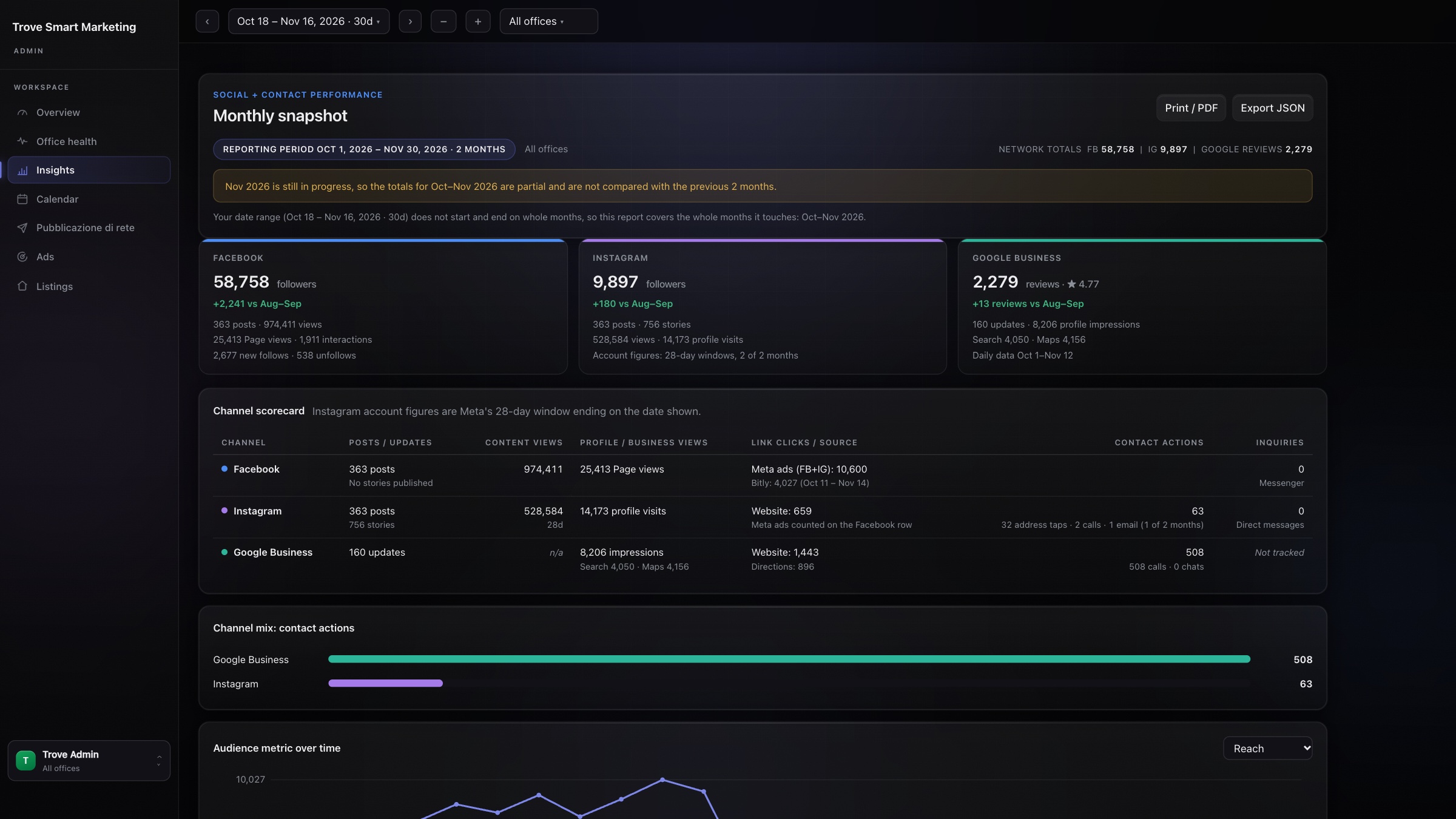
A monthly report people can read
- Facebook, Instagram and Google Business side by side.
- Contact actions are counted: calls, address taps, website clicks.
- Print it, or export it as a PDF for the office.
AI video
From a topic to a finished video
Our studio makes narrated videos from a topic: script, voiceover, visuals, edit and export, with a person approving each step. These are screens from the studio.
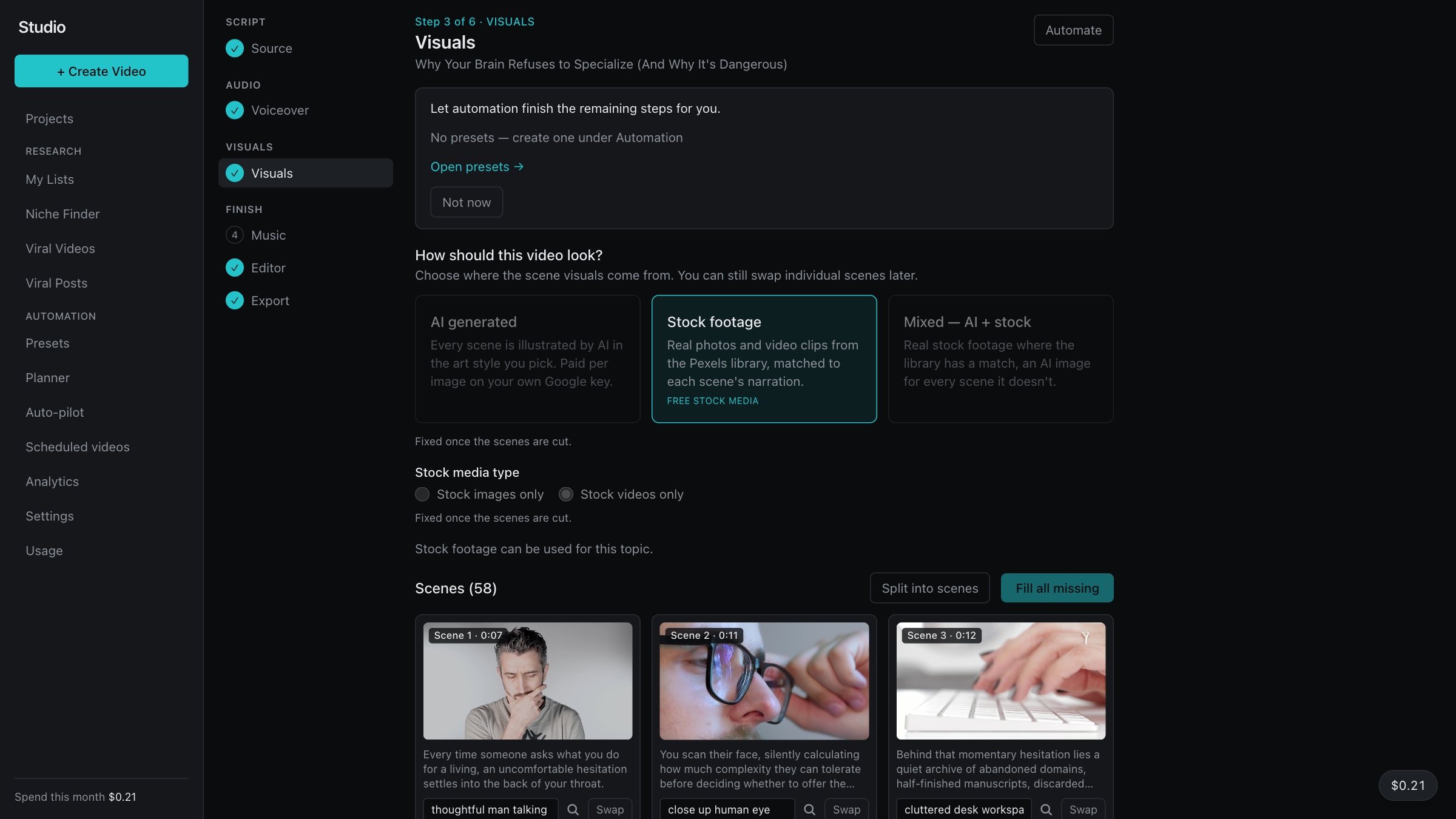
The script becomes scenes
- Choose stock footage, AI images, or a mix of both.
- The narration is cut into scenes, each with its own picture or clip.
- Swap any scene that does not fit.
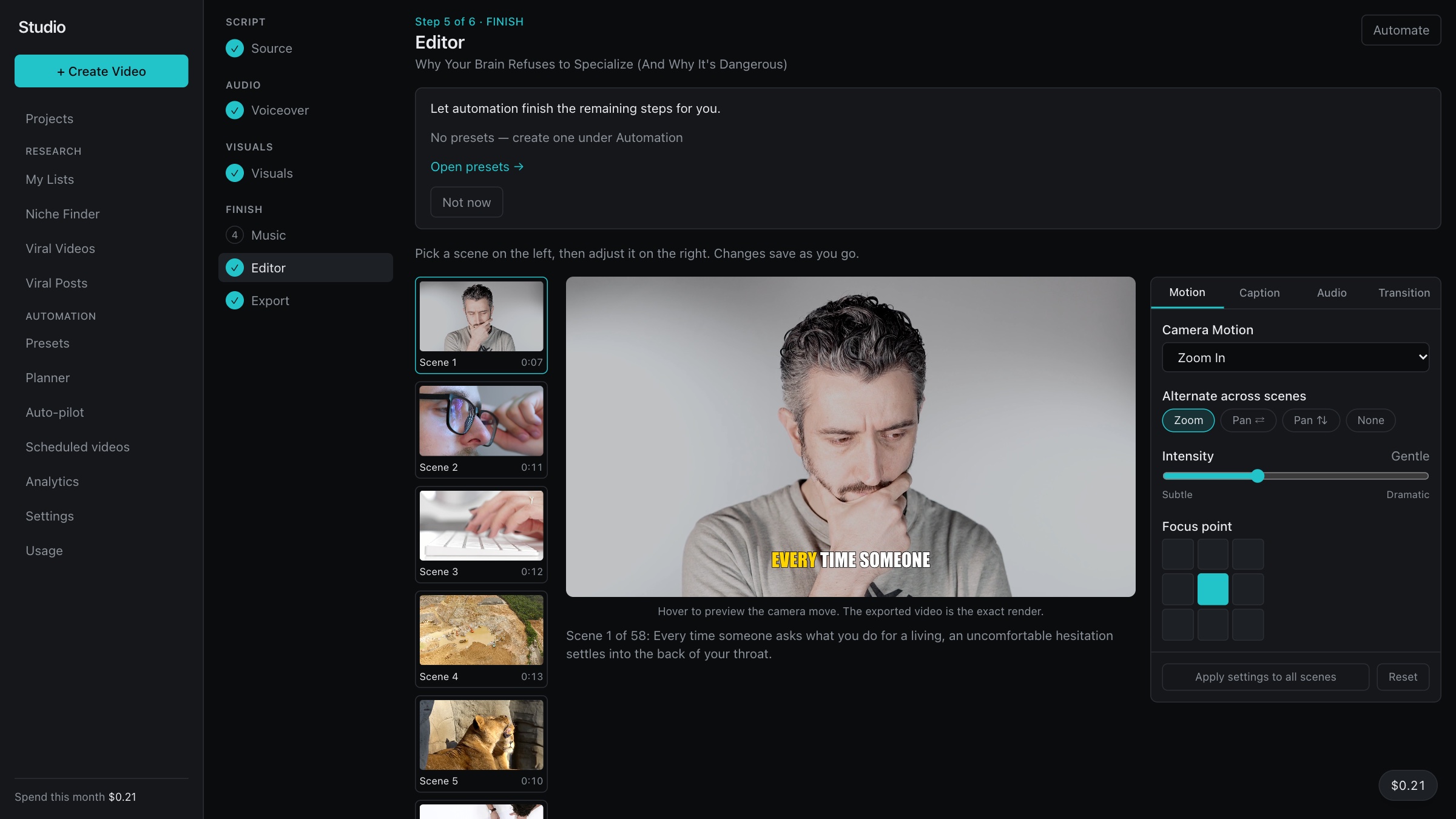
Edit one scene, or all of them
- Set camera motion, captions, audio and transitions.
- Preview a scene before the video is assembled.
- Apply one setting to every scene.
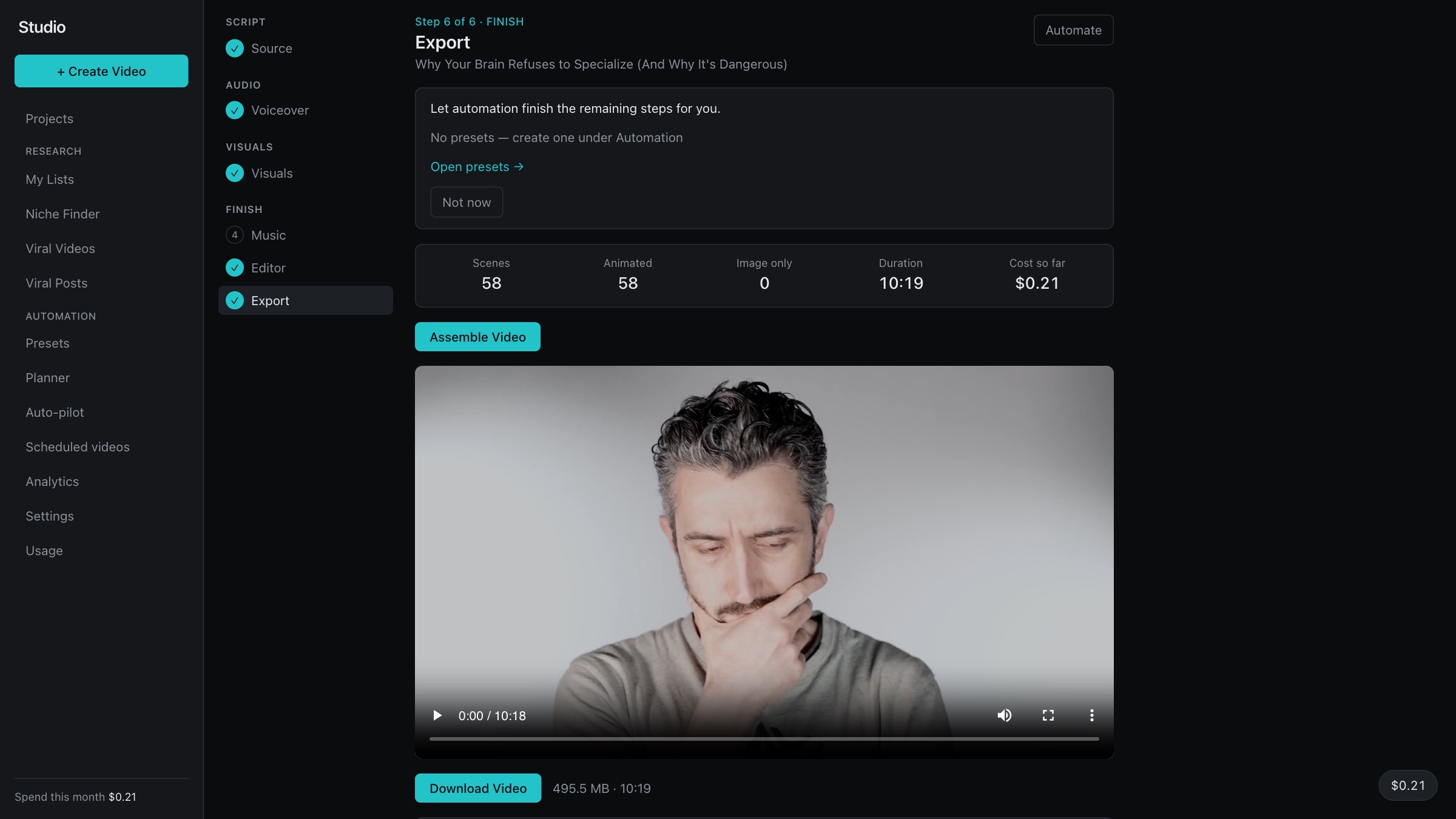
Assemble, check, download
- The studio assembles the video and gives you the file.
- It shows the number of scenes, the length and the cost so far.
- Automation can finish the remaining steps for you.
Company
DNAIII is a software company in Vancouver, BC. We build the software, and we run it for our customers.
We build and we run
A customer does not get a tool to operate. We keep the publishing, the ads and the reports running.
AI does the repeated work
Software writes, lays out, schedules and measures. That is the work that does not need a person each time.
People approve
A person checks requested posts and each step of a video before anything goes out.
Social media work that software should do?
Tell us what you publish today, and what takes the most time.
info@dnaiii.com
Social media marketing
Every location, posting on schedule